Last week, we wrote about why independent schools are uniquely positioned to lead on campus safety — and why the schools that actually lead tend to build safety into the rhythm of daily operations rather than treating it as something that only matters during drills.
This week, we want to get specific. Because there's a question underneath all of that framing that school leaders rarely get a direct answer to:
When your school initiates an emergency, what actually happens next?
Not in your emergency plan. In your actual systems.
The Gap Nobody Talks About
Most schools have a clear answer for what's supposed to happen. Staff initiate the event. The PA system broadcasts the alert. Classroom screens display instructions. Visitors on campus are notified. Accountability begins.
The problem is that in most schools, each of those things requires a separate action by a separate person using a separate system.
Someone initiates the event on one platform. Someone else remembers to switch on the PA. A third person, if they're even available, manually updates the digital signage. Meanwhile, the three substitute teachers who arrived that morning and the vendor doing work in the gym have no idea anything is happening.
Joe Coughlin, Director of Campus Security at Tower Hill School, put it plainly: "The educators and admin assistants have to live in a world of a thousand tabs and windows that are open."
That fragmentation doesn't just create inefficiency. It creates gaps — and in an emergency, gaps are exactly what you can't afford.
What It Looks Like When Everything Is Connected
The schools that have closed that gap describe a fundamentally different experience. One event initiated. Everything else follows automatically.
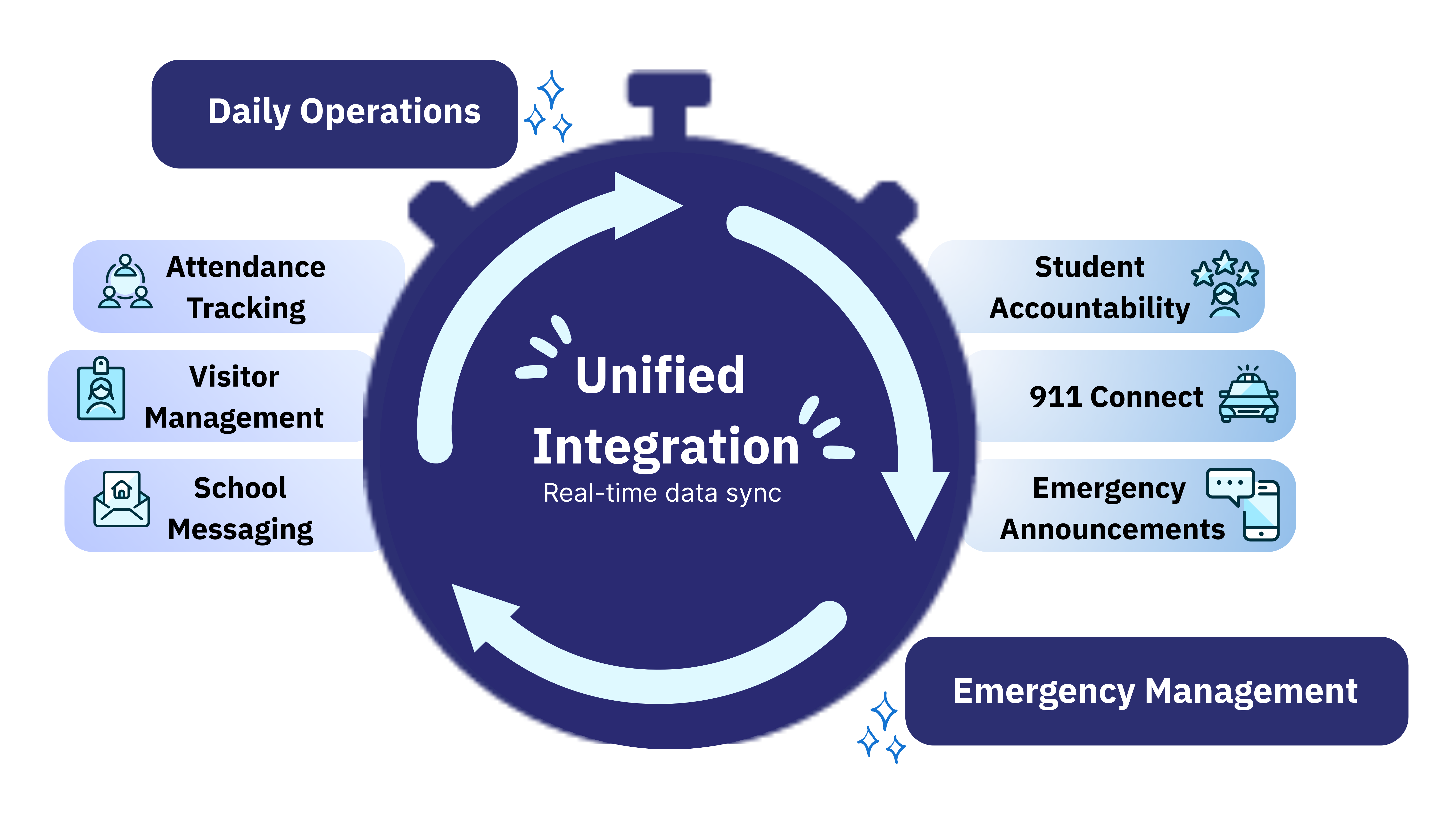
Think of it as a trigger system. One action sets a chain reaction in motion — across every system your school relies on, simultaneously, without anyone having to remember a second step.
Here's what that looks like in practice:
- The emergency event is initiated in Ruvna
- The PA system broadcasts the alert automatically
- Digital signage across campus updates in real time
- Classroom projection screens display emergency instructions
- Visitors, substitutes, and contractors on campus receive immediate notification
- Accountability begins instantly — with live attendance data already populated from that morning
No manual coordination. No tab-switching. No one running down a hallway to flip a switch.
Molly Rumsey, Director of Information Services at The Harpeth Hall School, described it this way after her school implemented this approach:
"We have used Ruvna to integrate with our paging and our classroom projection systems to use in the event of emergencies. We are very, very pleased with the notifications we are able to push just by initiating an event in Ruvna... we have also added the visitor module which enables us to notify visitors — including substitutes — in the event of an emergency. It's another layer that has put a lot of minds at ease."
The technology that makes this possible — outgoing webhooks — isn't new. But most school safety platforms don't support it. The ones that do allow your safety system to communicate directly with the other infrastructure you already have: your PA, your digital signage, your classroom screens. No custom development required. No additional staff training. The systems you already manage, working together the way they should have been from the start.
Why It Matters Every Day, Not Just in Emergencies
Here's what's easy to miss: the same connections that make your emergency response automatic also make your daily operations faster and more reliable.
When attendance data flows directly into your accountability tools, you already know who's on campus the moment a drill begins. You're not starting from zero. You're starting from accurate.
When visitor records are live and integrated, substitutes and contractors are never an afterthought in your emergency protocols — they're already accounted for.
And when staff interact with the same platform every morning for attendance and visitor check-in, there's no hesitation when a real event begins. The muscle memory is already there.
Tower Hill School saw this play out in measurable terms. Morning attendance — which used to take up to 45 minutes — now takes five. And during a recent fire drill, faculty were able to account for more than 300 students in 60 seconds.
"It doesn't have to be one person checking students in," said Joe Coughlin. "It's 50 people doing little things, which gives you a much better picture of what's going on."
That picture exists because the systems are connected — and because the staff use them every single day.
The Question Worth Asking
When your school initiates an emergency, what happens next?
If the honest answer involves someone manually triggering each system in sequence, or hoping the right people are in the right place to make it happen, that's worth examining.
The schools that have built connected safety infrastructure didn't do it by adding complexity. They did it by simplifying. One platform. One trigger. Everything else follows.
If you're evaluating what that looks like for your school, the questions worth asking every vendor are in the guide below — including a full section on integration capabilities, webhook support, and what real infrastructure connectivity actually requires.
Download the Emergency Management Buyer's Guide →
Already seen enough? Schedule a demo to see how Ruvna connects your school's systems.

Latest articles

The Independent School Guide to the Standard Response Protocol and Standard Reunification Method
.jpg)
The Moments That Mattered: Ruvna’s 25-26 Year in Review